Now on the App Store

Read in the language you're learning.

Bookmuse is a calm reader for your own books, with an AI companion beside every page. Understand every word in its sentence, listen along, and keep the words you meet.

Free · iPhone and iPad · iOS 26

Your own booksEPUBs you own, or free classics
Every word, in contextThe meaning it has in that sentence
Private by designNo ads or tracking. An account is optional.
Features

Everything a reader needs. Nothing between you and the page.

Understand

Every word, right where you meet it.

Hold a word and tap Translate. A card slides up with the meaning it has in that sentence, not a list of dictionary guesses.

  • Pronunciation, every common meaning, an example and synonyms
  • Word roots: see that “possession” comes from Latin possidere, “to hold”
  • Ask a follow-up: “Is it formal?”, “Give me more examples”
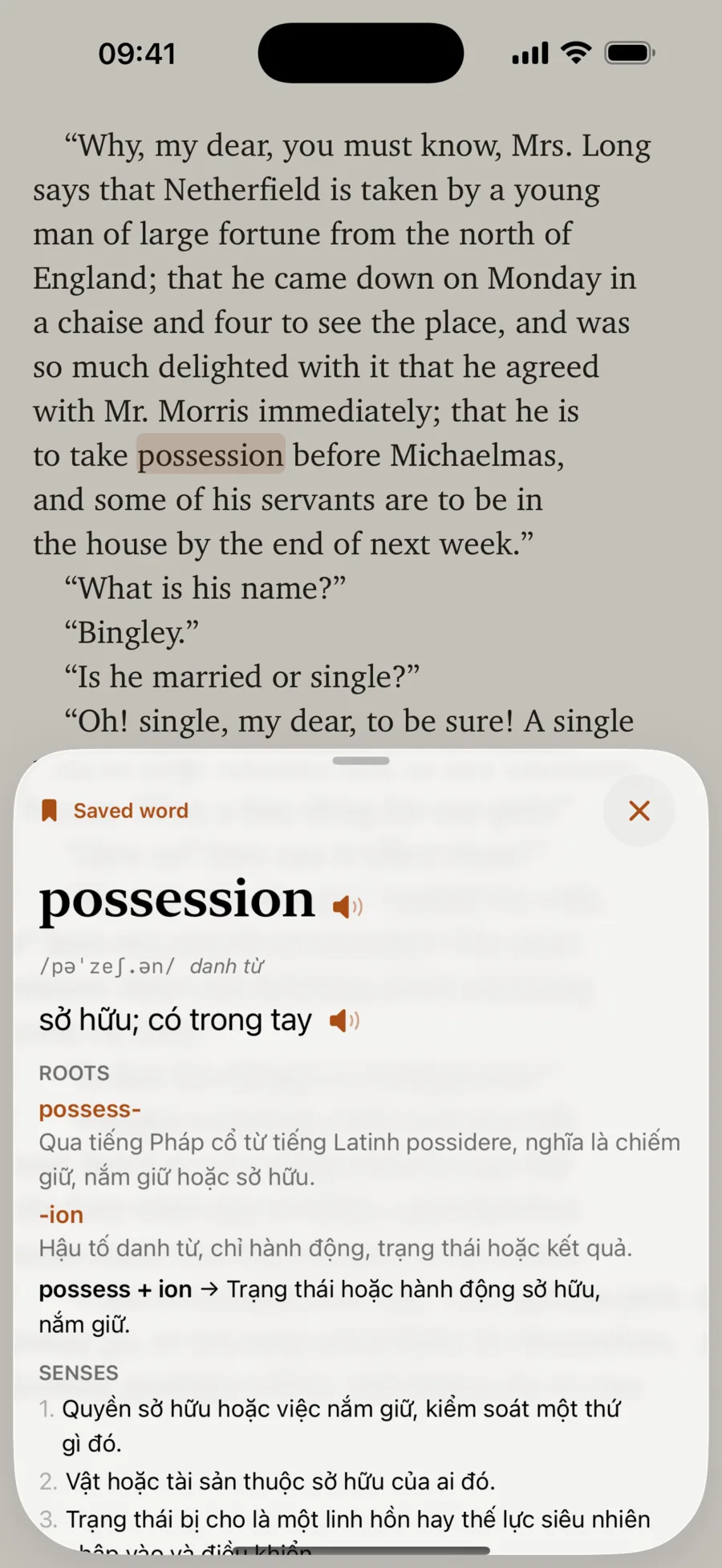
A word card for “possession” over a page of Pride and Prejudice, showing its pronunciation, translation, roots and senses
Ask the book

Lost the thread? Just ask.

Ask about the passage you're on, or the book so far. “Who is Mr. Bingley?” “What just happened?”

  • Answers come from the book's own text, around where you are
  • Each answer points to the page it came from
  • Select a passage and tap Ask, or ask about the whole book so far
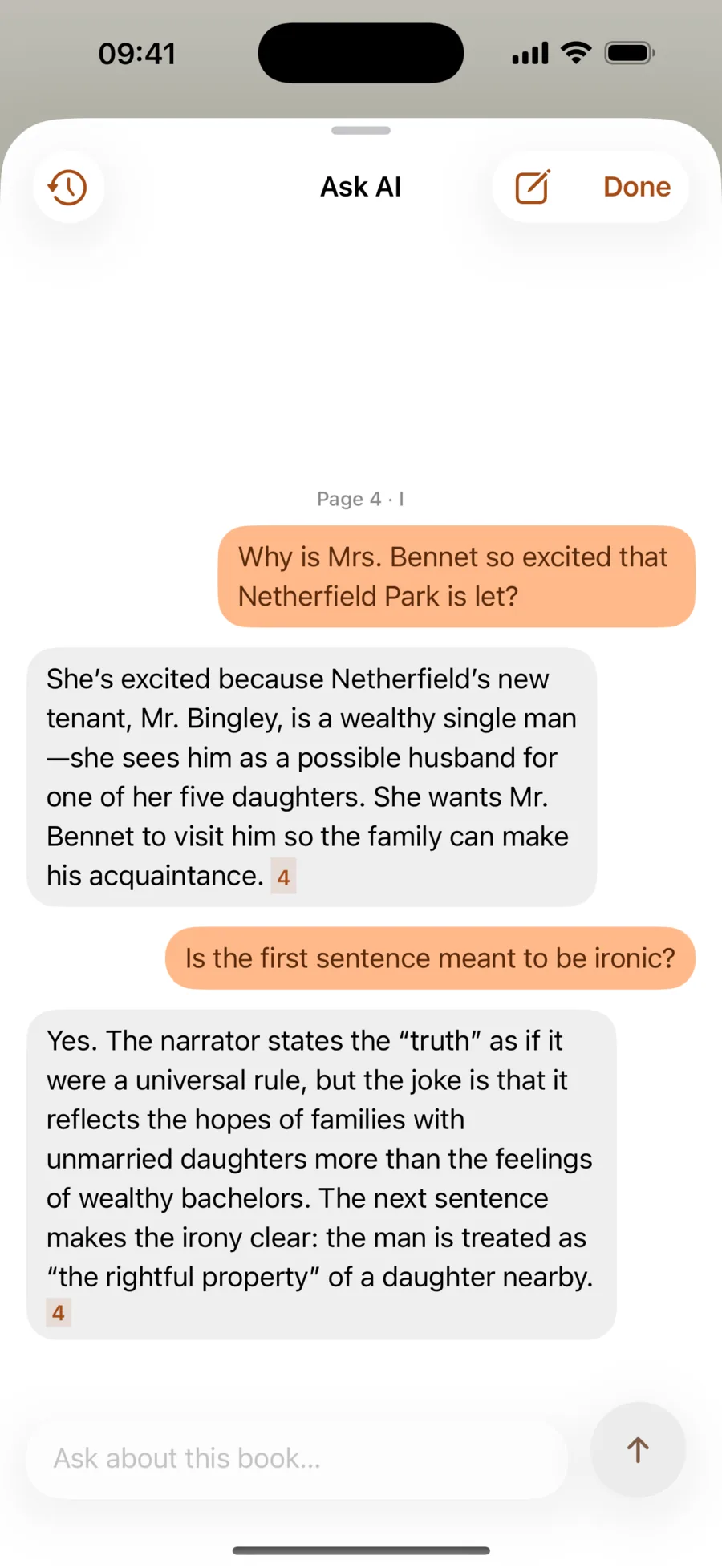
Ask AI explaining why Mrs. Bennet is excited that Netherfield Park is let, with page references
Listen

Hear it read aloud, and follow along.

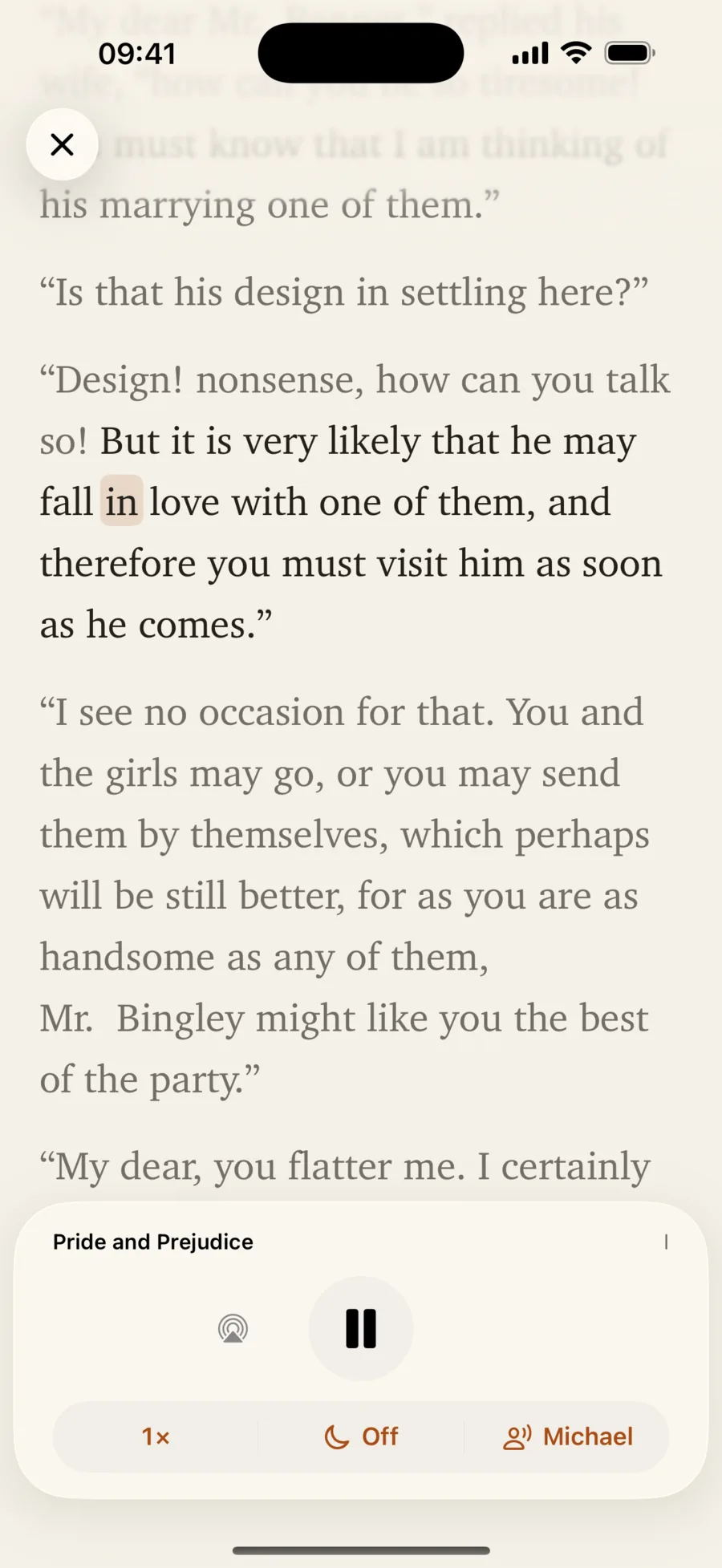
Bookmuse reads your book aloud while the text follows along. Tap a sentence to translate it, ask about it, or jump there.

  • Bookmuse Voices: natural English and Vietnamese voices that run on your iPhone
  • Any Apple voice, including Premium voices and your own Personal Voice
  • Or online voices from ElevenLabs, OpenAI, OpenRouter, Vbee or your own server
The Listen player reading Pride and Prejudice aloud, with the current word highlighted
Keep

The words you meet, kept with their story.

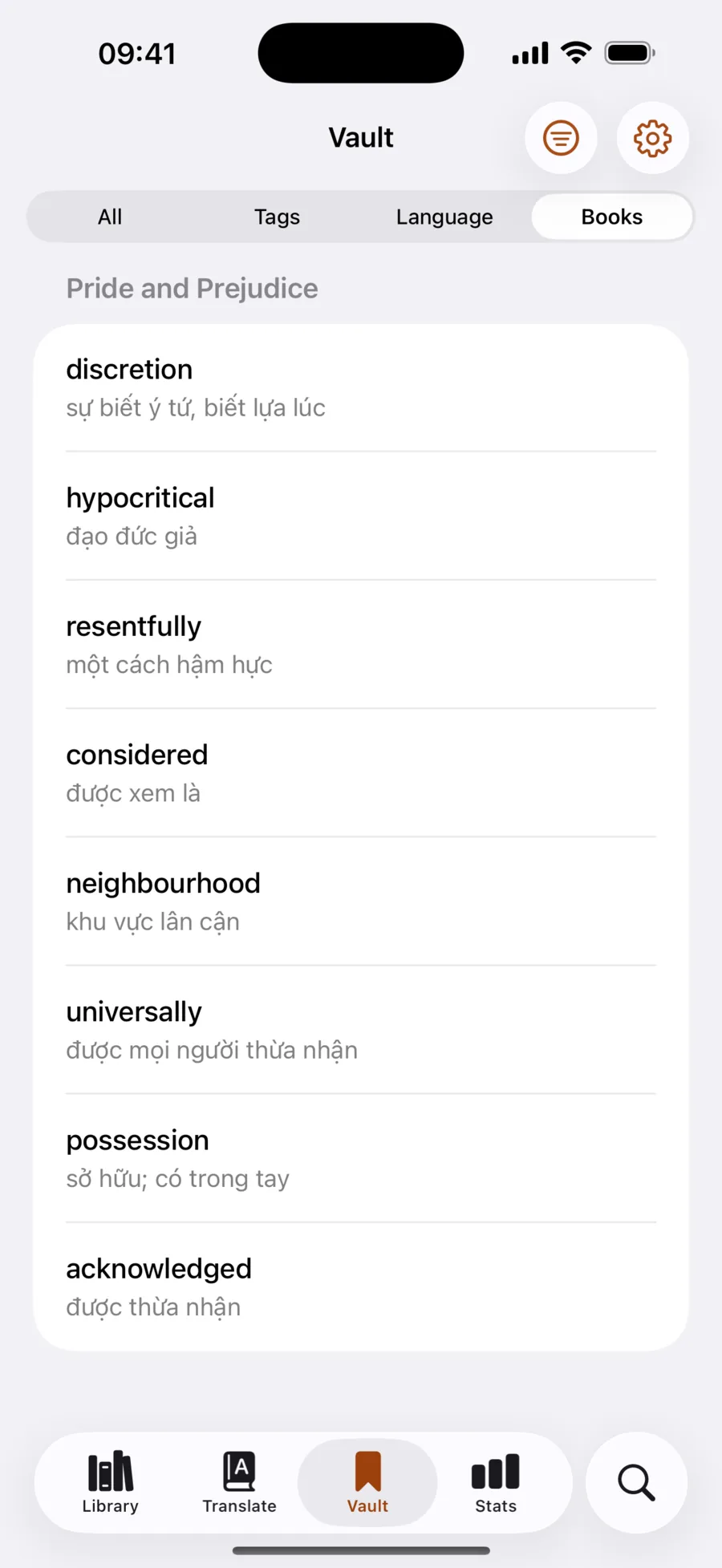
One tap saves a word with the sentence and the book it came from. It's marked everywhere it appears in that book, so you meet it again.

  • Your Vault: notes, tags and search
  • Filter by tag, language or book
  • Import word lists (CSV/TSV) and export as CSV
The Vault listing words saved from Pride and Prejudice with their translations
Remember

Remember them, a few minutes a day.

Flashcards scheduled with spaced repetition bring each word back right before you'd forget it, and a daily goal keeps you reading.

  • FSRS scheduling, the modern spaced-repetition algorithm
  • Finish a book, then review the words you saved from it
  • Reading and review streaks, with reminders when you want them
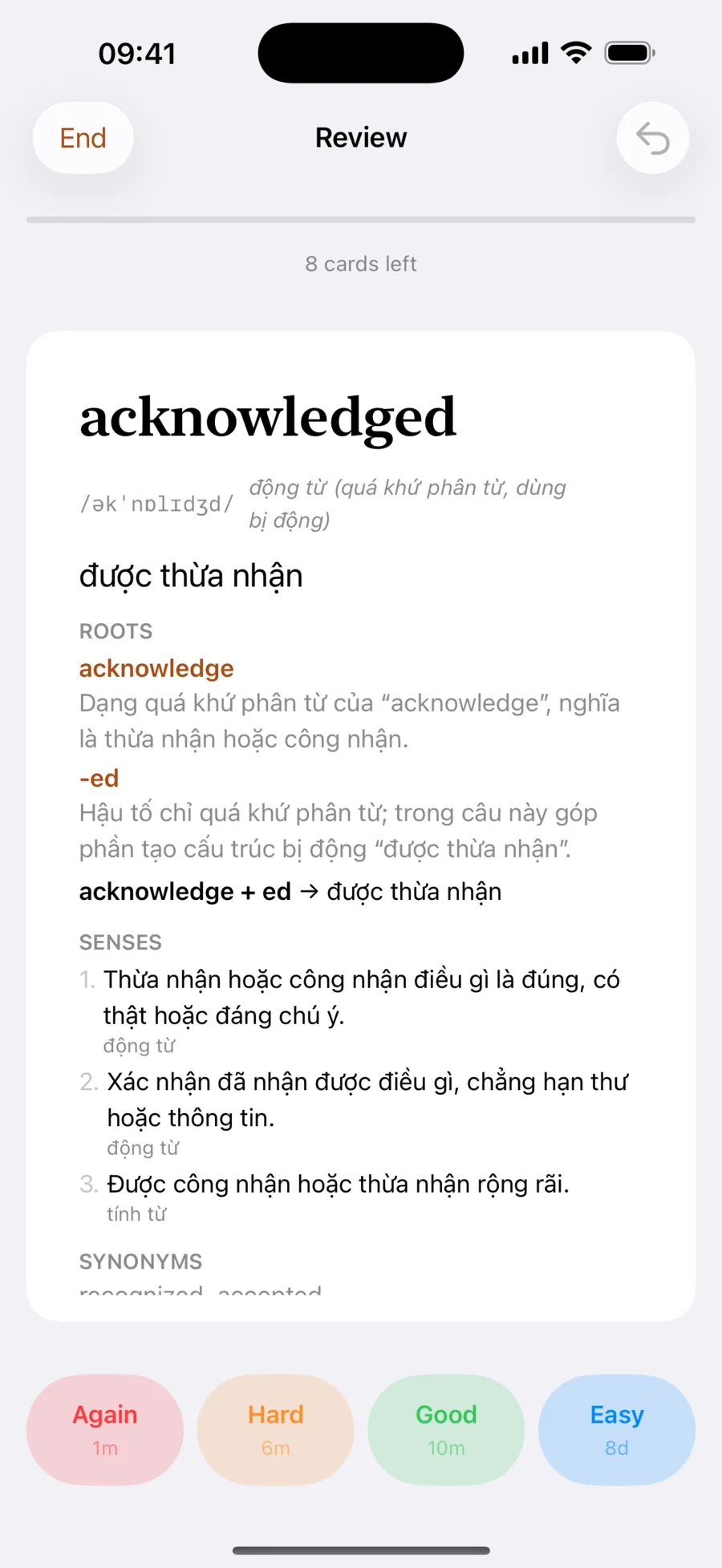
A flashcard for “acknowledged” with Again, Hard, Good and Easy buttons
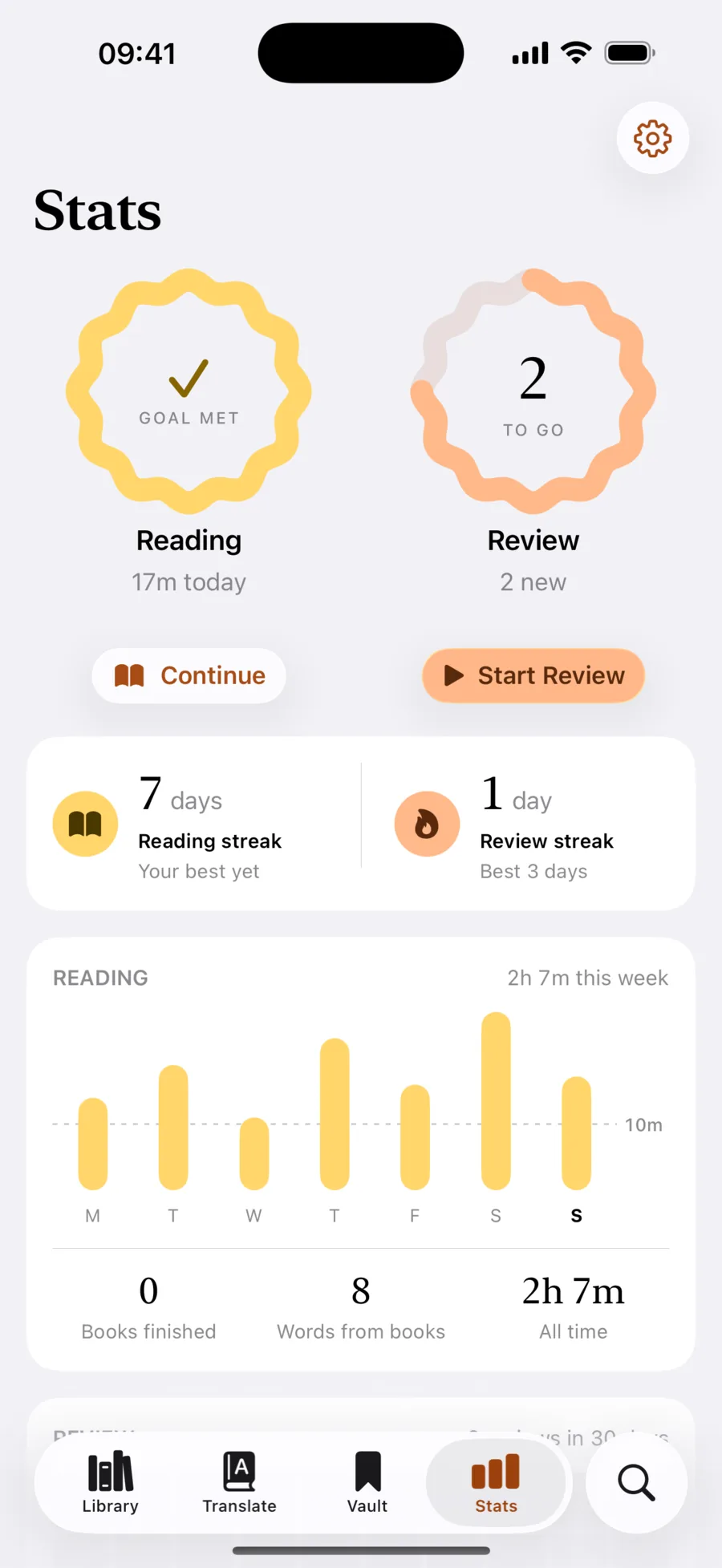
Stats showing the daily reading goal met, streaks and a week of reading time
And more

Made to feel at home on iPhone and iPad.

Books from anywhere

Open EPUBs from Files, Mail, Safari or AirDrop. Browse free classics from Project Gutenberg, or your own Calibre, Komga or Stump server.

Your default Translate app

Select text in any app, tap Translate, and Bookmuse answers in place. Save the word in one tap.

Your choice of AI

BookMuse AI works with nothing to set up. Apple Translation is free and works offline, and Apple Intelligence runs on device. Or bring your own key for OpenAI, Anthropic, Gemini, OpenRouter, Ollama and more.

Widgets, Siri and Shortcuts

Continue Reading is one tap away on your Home Screen. See words due for review, or say “Continue reading in Bookmuse.”

Quote cards

Select a passage you love and share it as a beautifully set quote card.

In sync, when you sign in

Sign in with Apple or Google to keep books, words and progress in sync on your devices and on the web. Without an account, everything stays on this device.

Privacy

Your books. Your words. Nobody else's.

No ads, no tracking, nothing sold. Choose Apple Translation or Apple Intelligence, and what you look up never leaves your device.

Account optional No ads or tracking Delete it all any time

Read the privacy policy

FAQ

Questions, answered.

How do I get Bookmuse?

Download it free from the App Store on your iPhone or iPad.

Is it free?

Yes. Bookmuse is free, with no ads and no in-app purchases, and the built-in BookMuse AI is free for now. If you connect your own AI provider or an online voice, that service may charge you for what you use.

Which devices does it run on?

iPhone and iPad with iOS 26 or iPadOS 26. Apple Intelligence features need a device that supports Apple Intelligence.

Where do the books come from?

You bring them. Open any DRM-free EPUB from Files, Mail, Safari or AirDrop, browse thousands of free classics from Project Gutenberg, or connect your own book server (Calibre, Komga, Stump, or any OPDS catalog). Your books stay on your device, and in your account when you sign in.

Do I need an AI subscription or an API key?

No. Bookmuse comes with BookMuse AI, which gives rich word cards, follow-up questions and the full Ask AI with nothing to set up, free for now.

Prefer to keep lookups on your device? Choose Apple Translation, which is free and works offline once a language is downloaded, or Apple Intelligence on devices that support it, for word roots, meanings, follow-ups and Ask AI, all on device.

If you'd like, you can connect your own account with OpenAI, Anthropic, Google Gemini, OpenRouter, Groq, Mistral, DeepSeek, xAI, or any OpenAI-compatible server such as Ollama or LM Studio.

Which languages can I learn?

Any language pair Apple Translation supports, and with an AI provider, almost any language it understands. Bookmuse Voices read English and Vietnamese on your device, and Apple's voices cover many more languages.

How do I make Bookmuse my default Translate app?

Open the Settings app, then Apps → Default Apps → Translation, and choose Bookmuse. Now select text in any app, tap Translate, and Bookmuse shows the meaning with one tap to save it.

Is my reading private?

Yes. An account is optional, and there are no ads, analytics or tracking. Without one, your books, words and progress stay on your device. Sign in and they sync through Bookmuse to your other devices and the web; you can delete your account at any time. With BookMuse AI, what you look up and ask is sent to OpenRouter to be answered; choose Apple Translation or Apple Intelligence to keep it on your device. See the privacy policy for the details.

Can I bring my existing word lists?

Yes. Import CSV or TSV files into your Vault, and export your Vault as CSV whenever you like.

Bookmuse app icon

Start reading with Bookmuse.

Free on the App Store for iPhone and iPad.

  1. Get BookmuseDownload it free from the App Store.
  2. Open a bookBring an EPUB, or pick a free classic from Project Gutenberg.
  3. Hold any wordSee what it means in that sentence, and keep it.